Classes
Last updated on
Maybe you noticed that we use the keyword new from time to time. For example, to create a new date, we need to write new Date(). That’s because Date is a class.
Just like functions, classes are another staple of programming. They are very convenient for organizing your code, with their own properties and functions (called methods).
To be honest, classes are a bit advanced, and you probably won’t create classes right away. But you’ll use pre-coded classes quite often (just like new Date()), so it’s important to have a rough idea of how they work.
I assume you’ve completed Chapter 1 and all previous lessons in Chapter 2 before diving into this one, especially the Setup and Functions lessons.
Setup
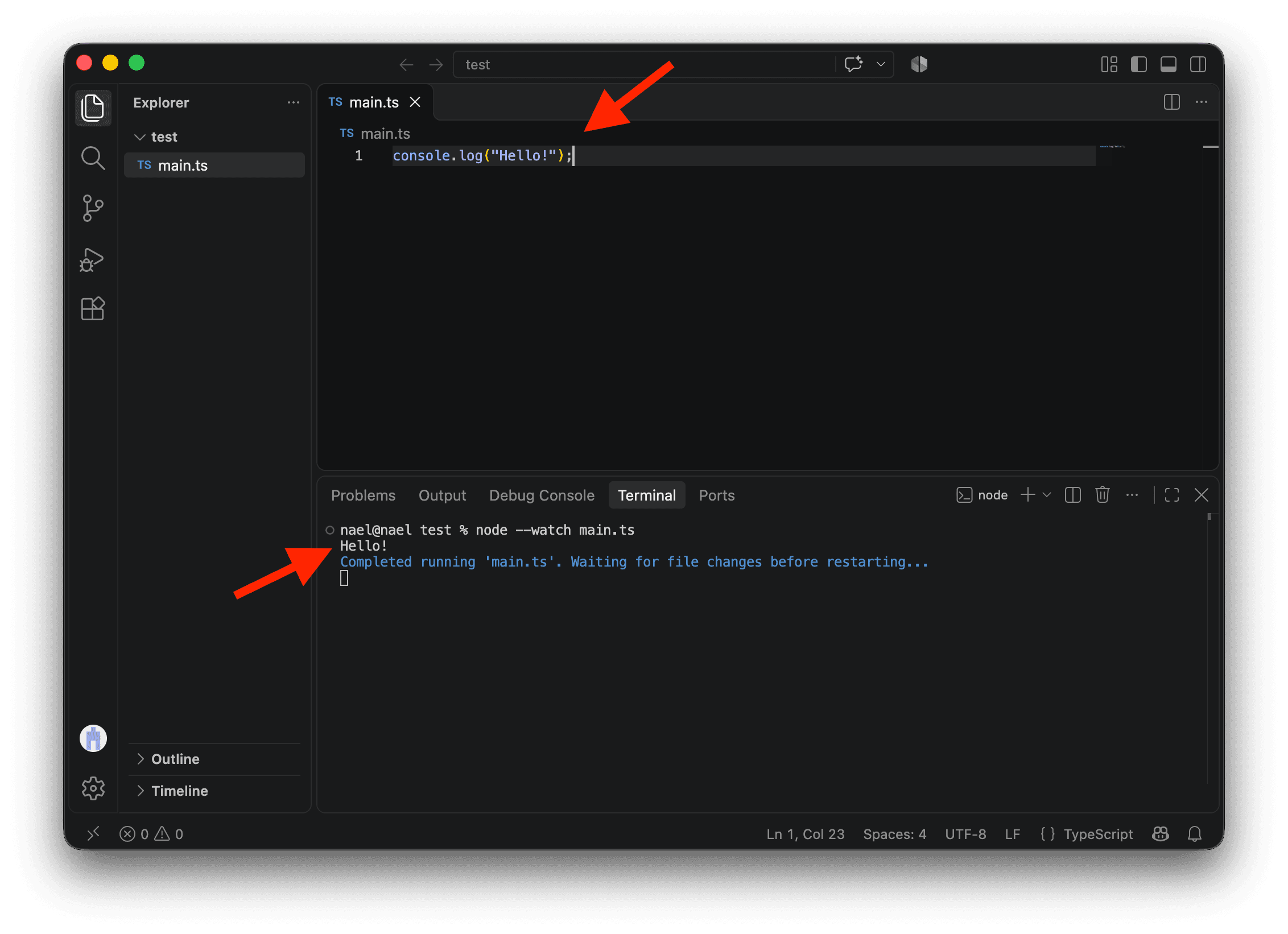
Create a new, empty folder on your computer, open it with VS Code, and create a file named main.ts inside it.
Type this code in main.ts and save the file:
console.log("Hello!");Open the terminal (Command + J on Mac or Control + J on Windows) and run this command:
node --watch main.tsThis runs our code and automatically runs it again each time we save a change, so we can see the results as we work.
Creating a class
To create a class, you need to declare it with the class keyword, followed by its name and curly brackets {}. By convention, class names are capitalized.
Let’s create a class named Person.
class Person {
}
Instantiating a class
To use the class, we need to create an instance of it by calling it with the new operator, followed by the class name and (). You can create as many instances of a class as you want.
Below, we instantiate our class Person twice. We store the new instances in the variables john and emily.
We now have two Person instances in our code: John and Emily.
class Person {
}

const john = new Person();
const emily = new Person();
Properties and constructor
So far, our class Person is empty. We can give our Person instances name and age properties.
class Person {
  name: string;
  age: number;
}

const john = new Person();
const emily = new Person();
The class Person now has two properties, but we haven’t given them any values. VS Code reports two TypeScript errors: each Person should have a name and an age, but neither is assigned when we create John and Emily. We’ll fix that with a constructor next.
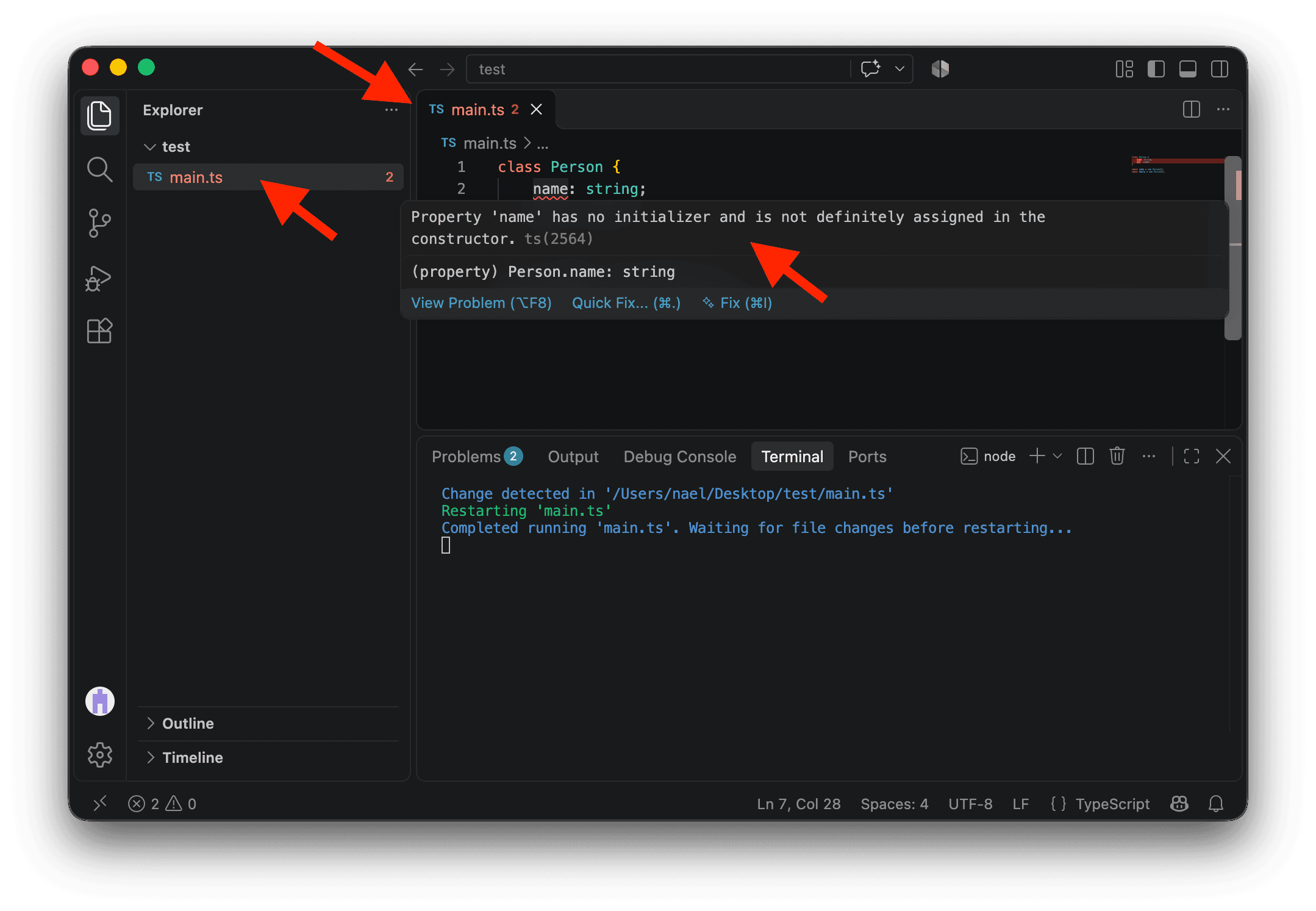
Usually, when you create a class, you use its constructor to give the properties their initial values. The constructor looks like a function, but without the function keyword. It’s called when you instantiate the class (and only then).
We can give the constructor parameters (here, name and age). By using the this keyword, we can assign the parameters to the properties.
class Person {
  name: string;
  age: number;

  constructor(name: string, age: number) {
    this.name = name;
    this.age = age;
  }
}

const john = new Person();
const emily = new Person();
Now, in VS Code, the errors have moved! The class itself no longer has any errors, but the lines where we create John and Emily do. Our constructor expects two arguments, so we now need to give each person a name and an age when we instantiate the class with new Person.
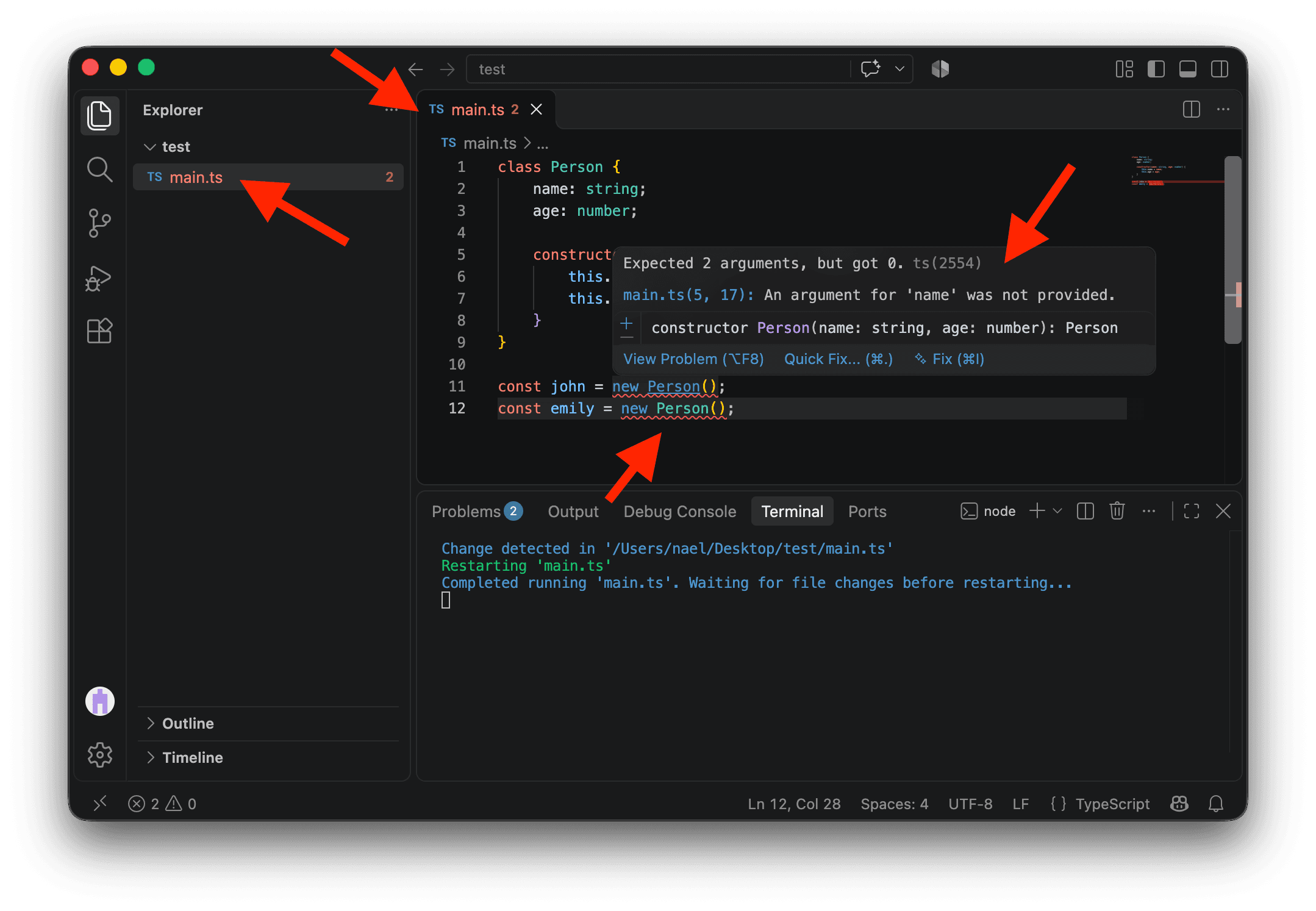
This is quite useful: TypeScript helps us see which parts of our code need updating until everything fits together.
We created just one class, but john and emily will each have their own name and age, as shown in the code below. And of course, everything is typed, so the code editor will help you out with autocomplete and will make sure you’re passing the right data types. Magic! 🪄✨
You can access class instance properties just like you would with objects, using a ..
class Person {
  name: string;
  age: number;

  constructor(name: string, age: number) {
    this.name = name;
    this.age = age;
  }
}

const john = new Person("john", 30);
const emily = new Person("emily", 35);

console.log(john.name, john.age);
console.log(emily.name, emily.age);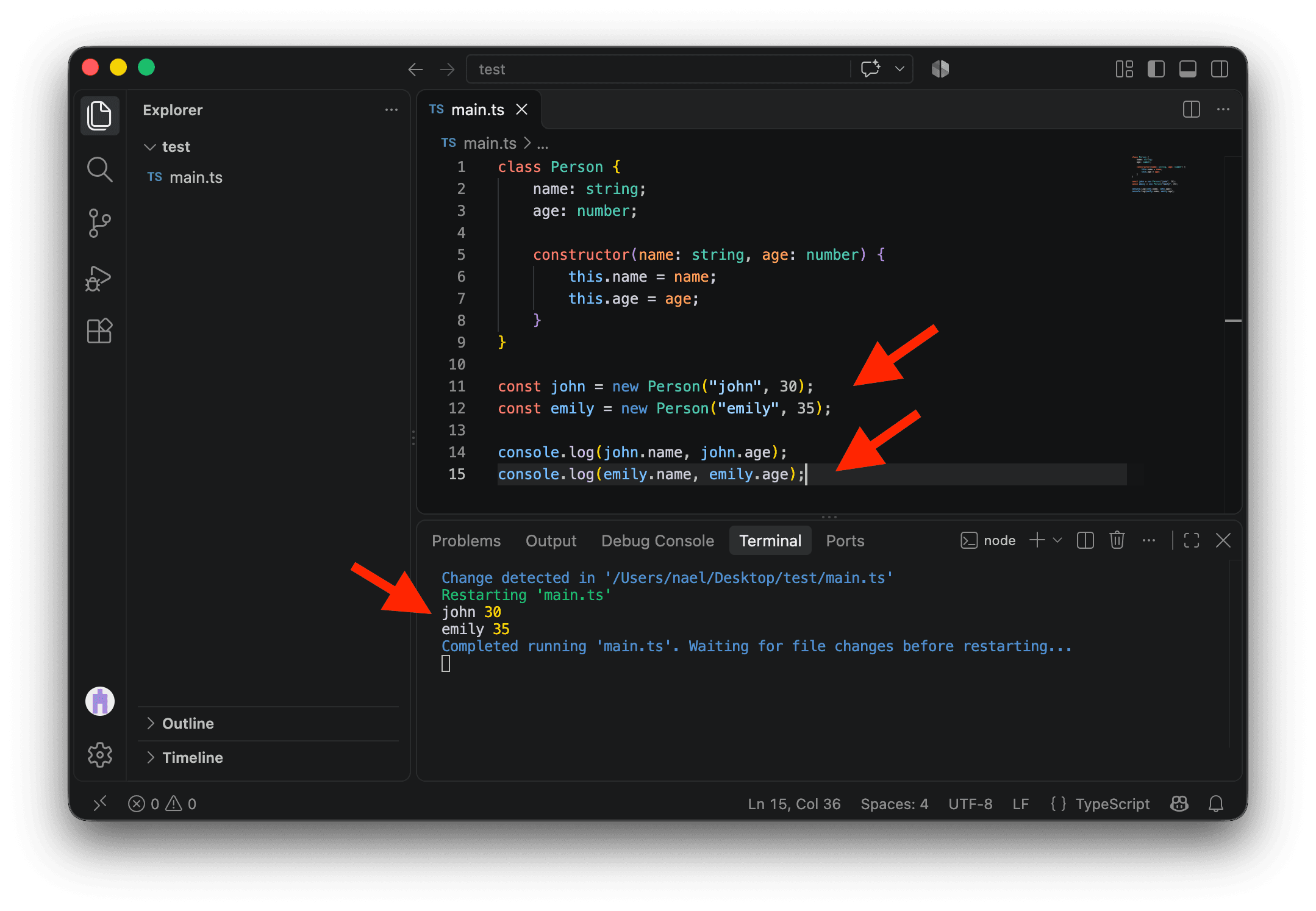
Methods
Methods are functions specifically created for a class. They are very useful because they have direct access to the class properties. They also have access to other methods, so a method can call another method. But this is getting meta. 🥸
Methods are written like functions, but without the function keyword. You have to declare them inside the class. A class can have as many methods as you want.
For example, let’s create a method called makeOlder. Each time it’s called, it will add 1 to the age property.
class Person {
  name: string;
  age: number;

  constructor(name: string, age: number) {
    this.name = name;
    this.age = age;
  }

  makeOlder() {
    this.age = this.age + 1;
  }
}

const john = new Person("john", 30);
const emily = new Person("emily", 35);

console.log(john.name, john.age);
console.log(emily.name, emily.age);
To call a method, use . right after an instance or a variable storing an instance, then type the name of the method followed by ().
Below, we call the makeOlder method three times on john. We instantiated him with an age of 30, but when we log his age, it’s now 33!
And since all instances are independent, emily is still 35! Of course, emily also has the makeOlder method. Feel free to test it!
class Person {
  name: string;
  age: number;

  constructor(name: string, age: number) {
    this.name = name;
    this.age = age;
  }

  makeOlder() {
    this.age = this.age + 1;
  }
}

const john = new Person("john", 30);
const emily = new Person("emily", 35);

john.makeOlder();
john.makeOlder();
john.makeOlder();

console.log(john.name, john.age);
console.log(emily.name, emily.age);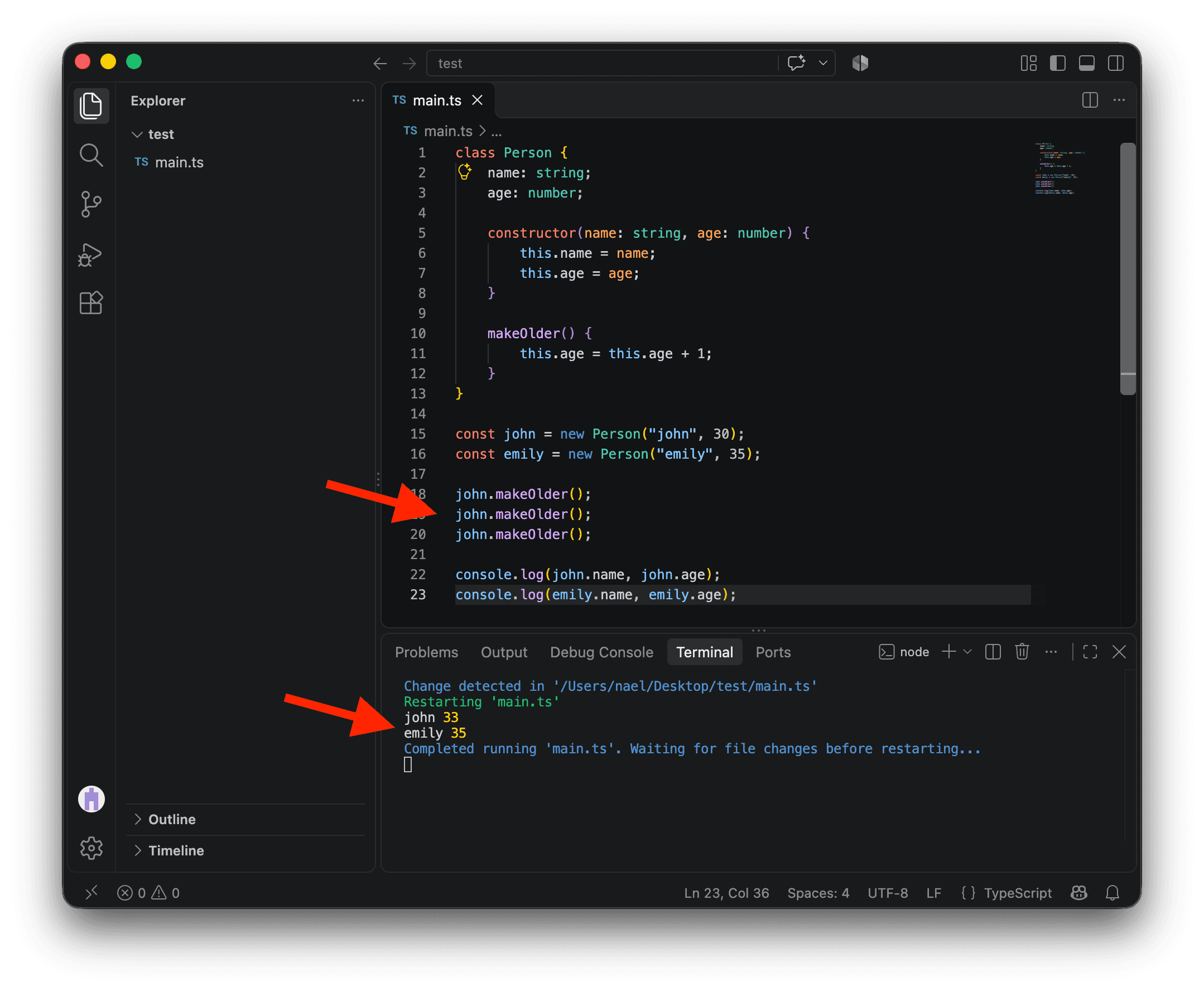
Calling the method makeOlder three times is not very convenient. Just like functions, methods can have parameters. Let’s update our code to pass a number of years to the method.
And just like function parameters, method parameters are typed, which is very convenient and helps you avoid typos and bugs.
class Person {
  name: string;
  age: number;

  constructor(name: string, age: number) {
    this.name = name;
    this.age = age;
  }

  makeOlder(year: number) {
    this.age = this.age + year;
  }
}

const john = new Person("john", 30);
const emily = new Person("emily", 35);

john.makeOlder(3);

console.log(john.name, john.age);
console.log(emily.name, emily.age);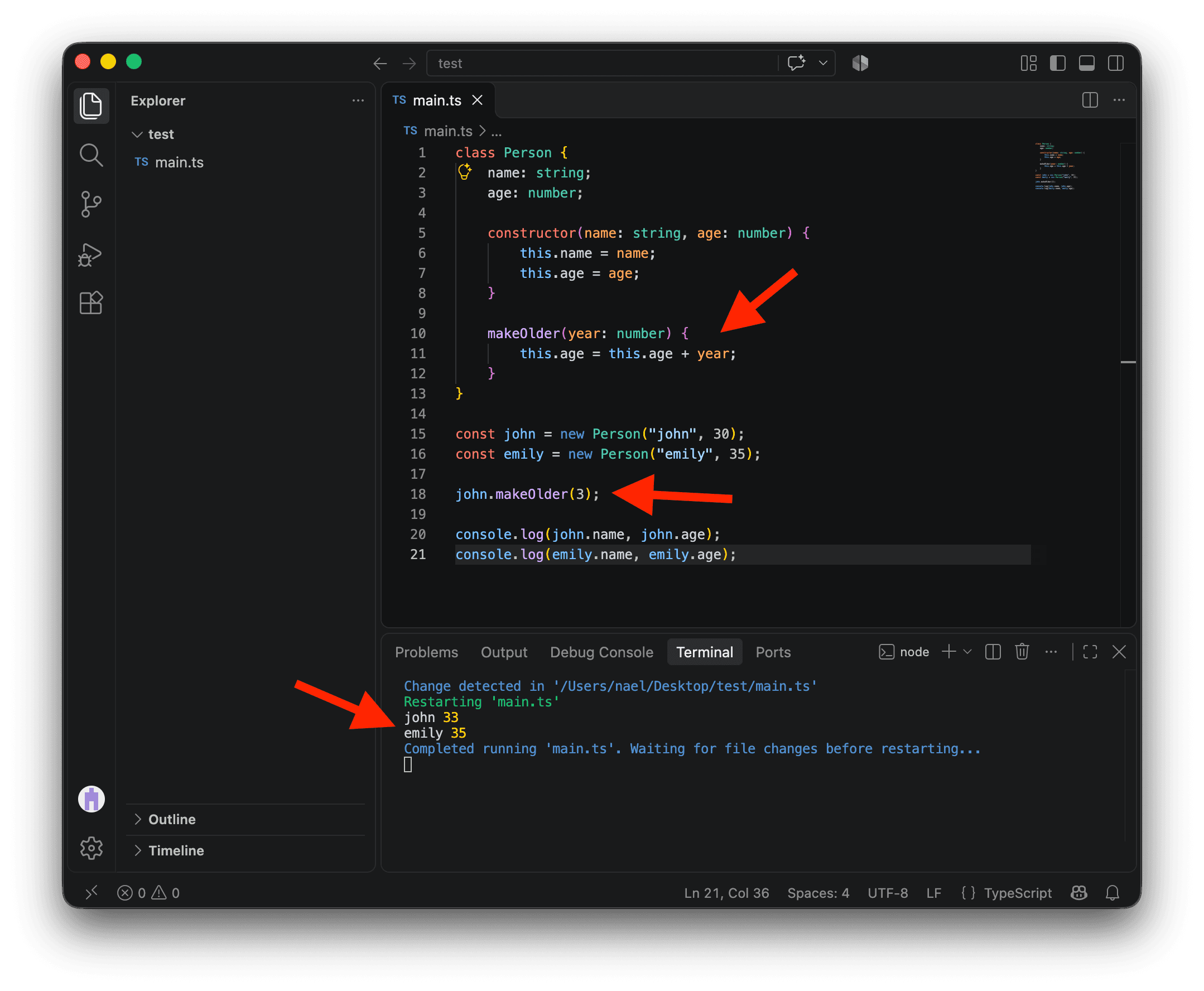
Instead of using console.log and manually passing the instance properties, we could also create another method to log the ages.
As you can see, classes, with their properties and methods, can be a great way to organize your code!
You can also create helper functions in a helpers folder elsewhere in your project, import them into your class file, and call them from your methods. This helps keep your class organized, even when it does very complex things.
class Person {
  name: string;
  age: number;

  constructor(name: string, age: number) {
    this.name = name;
    this.age = age;
  }

  makeOlder(year: number) {
    this.age = this.age + year;
  }

  log() {
    console.log(`Hi! I'm ${this.name} and I'm ${this.age} years old.`);
  }
}

const john = new Person("john", 30);
const emily = new Person("emily", 35);

john.makeOlder(3);

emily.log();
john.log();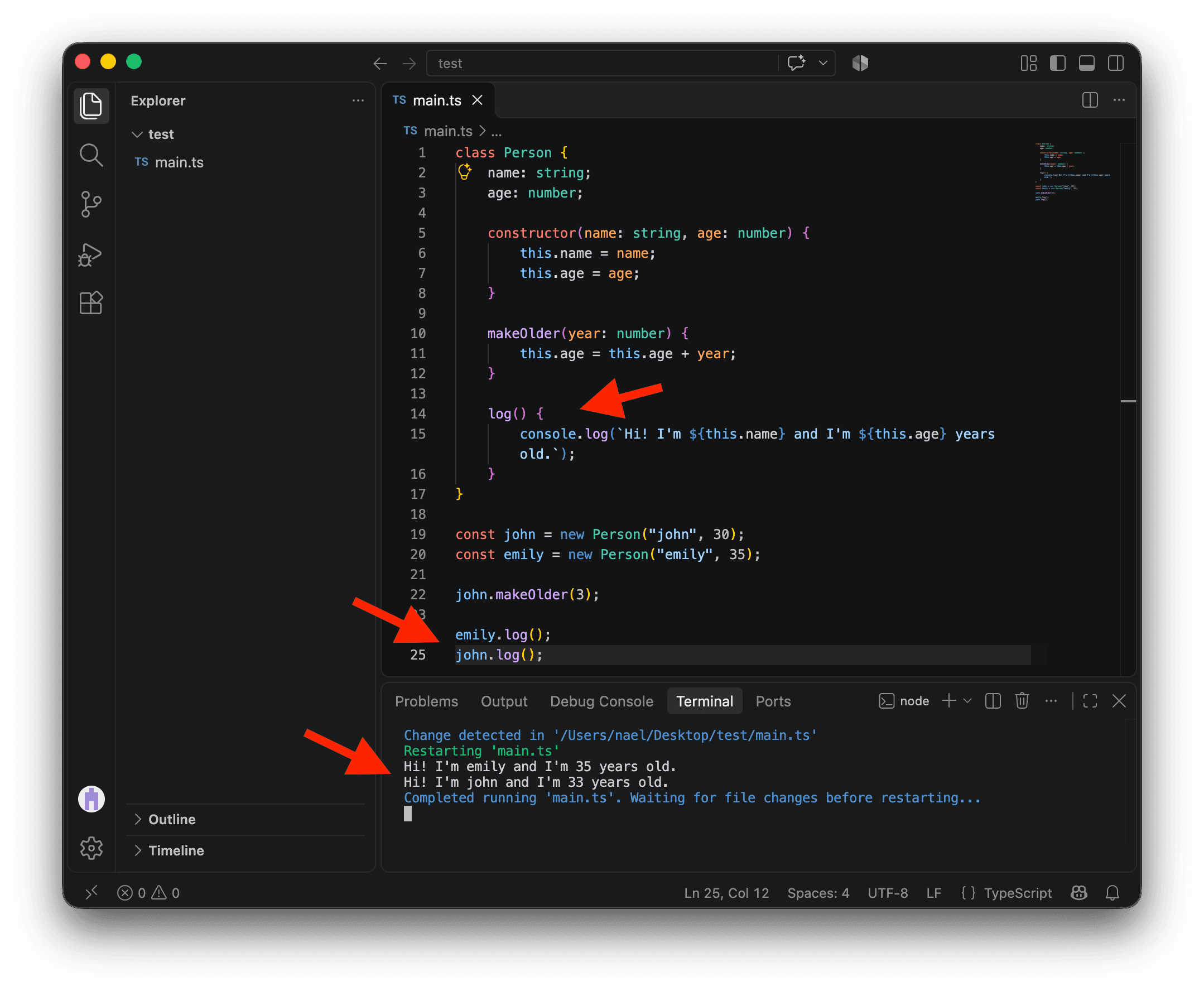
Exporting and importing
Just like functions, it’s pretty common to keep classes in their own file and export/import them.
Create a new file called Person.ts in your project folder and move your class into it. Don’t forget to add export default in front of it to make it available to the rest of your scripts.
export default class Person {
  name: string;
  age: number;

  constructor(name: string, age: number) {
    this.name = name;
    this.age = age;
  }

  makeOlder(year: number) {
    this.age = this.age + year;
  }

  log() {
    console.log(`Hi! I'm ${this.name} and I'm ${this.age} years old.`);
  }
}
And now you can easily import it and use it in main.ts, which is now much simpler and easier to understand!
import Person from "./Person.ts";

const john = new Person("john", 30);
const emily = new Person("emily", 35);

john.makeOlder(3);

emily.log();
john.log();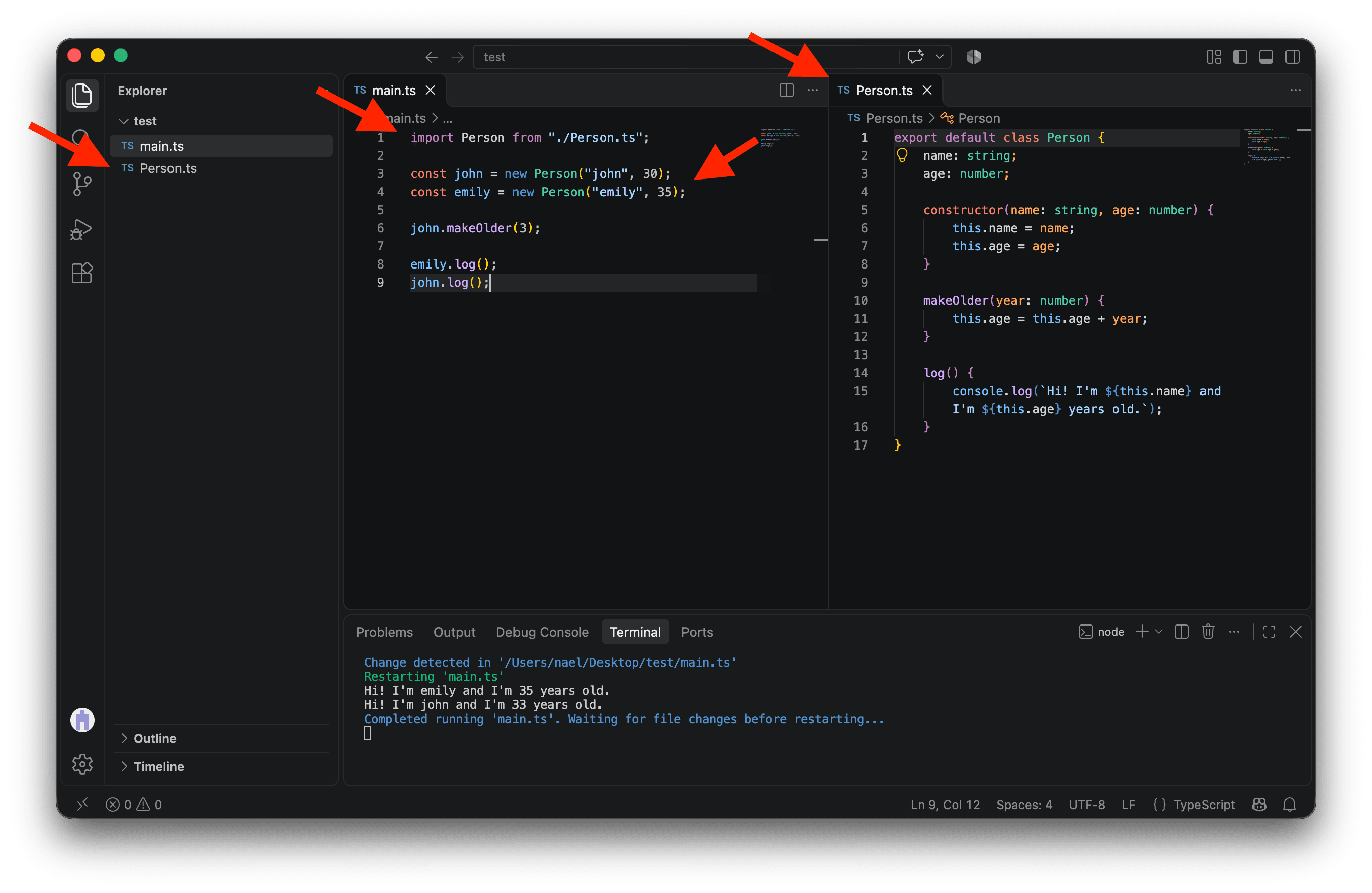
Documentation
Just like functions, you can document your classes using the JSDoc syntax.
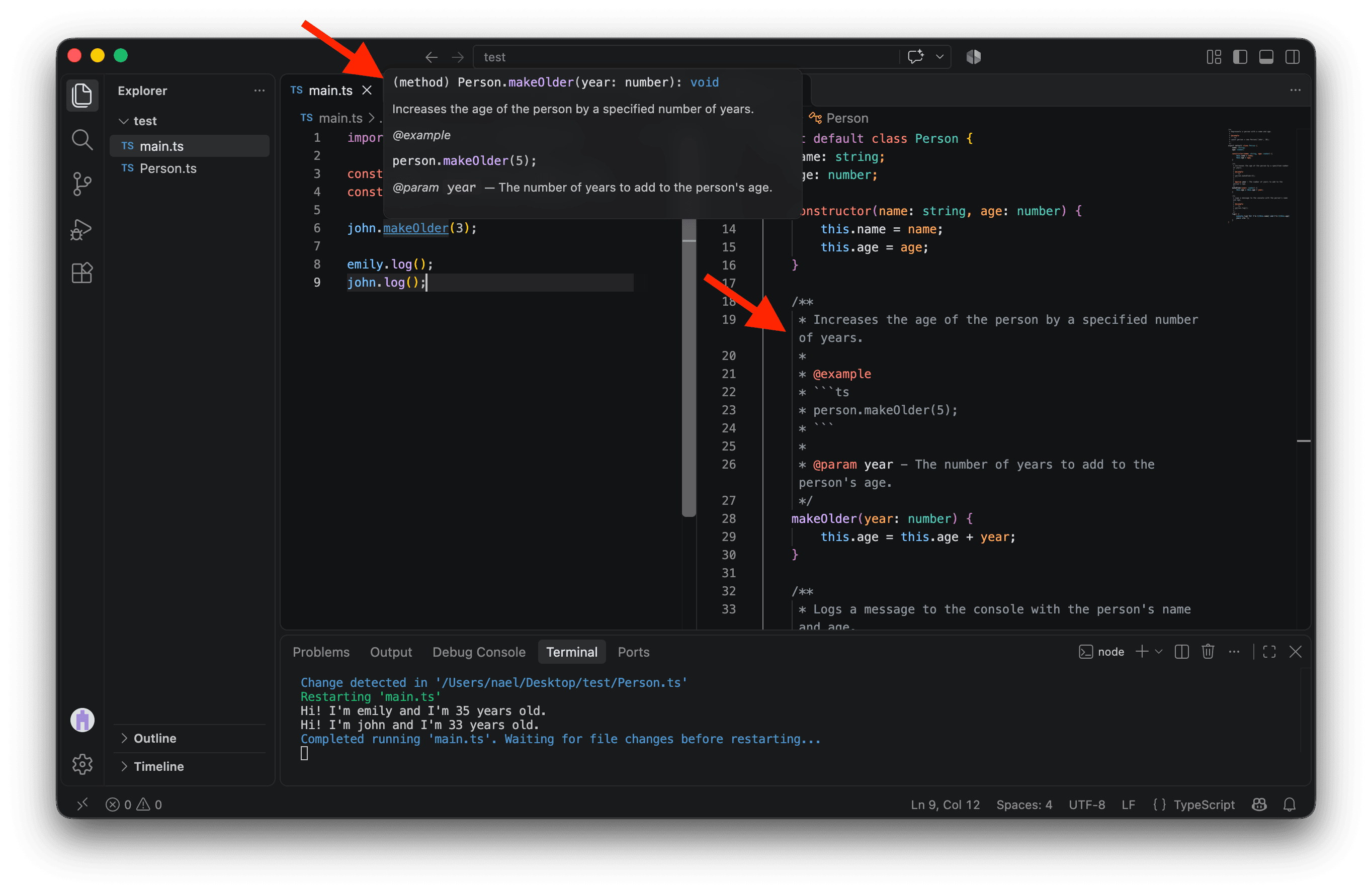
Below, I have documented the class as well as all its methods. For each one, I added an example. Now, the documentation will pop up in VS Code when you start typing their names or when hovering over them. Very convenient!
/**
 * Represents a person with a name and age.
 *
 * @example
 * ```ts
 * const person = new Person('John', 30);
 * ```
 */
export default class Person {
  name: string;
  age: number;

  constructor(name: string, age: number) {
    this.name = name;
    this.age = age;
  }

  /**
   * Increases the age of the person by a specified number of years.
   *
   * @example
   * ```ts
   * person.makeOlder(5);
   * ```
   *
   * @param year - The number of years to add to the person's age.
   */
  makeOlder(year: number) {
    this.age = this.age + year;
  }

  /**
   * Logs a message to the console with the person's name and age.
   *
   * @example
   * ```ts
   * person.log();
   * ```
   */
  log() {
    console.log(`Hi! I'm ${this.name} and I'm ${this.age} years old.`);
  }
}
Conclusion
Congratulations! You wrote your first class! While you might not create a lot of them for your analyses and future projects, you will use a looooooot of them! And as you just saw, using them is very easy. 🤗
There’s a lot more to learn about classes, like inheritance, for example. But if you ever need to dive into that, it’ll mean you’ve become quite a good TypeScript coder! And by then, you’ll be able to read more technical documentation and understand it, or ask your LLM to explain it to you.
And if not, well, you can always reach out to me. I’ll be happy to write another lesson! 😁