Loops
Last updated on
We often use computers to perform repetitive tasks quickly and efficiently. And this is what loops are for: to iterate!
Note that I assume you’ve completed the previous lessons in Chapter 1, TypeScript fundamentals, especially the Setup lesson, before diving into this one.
Setup
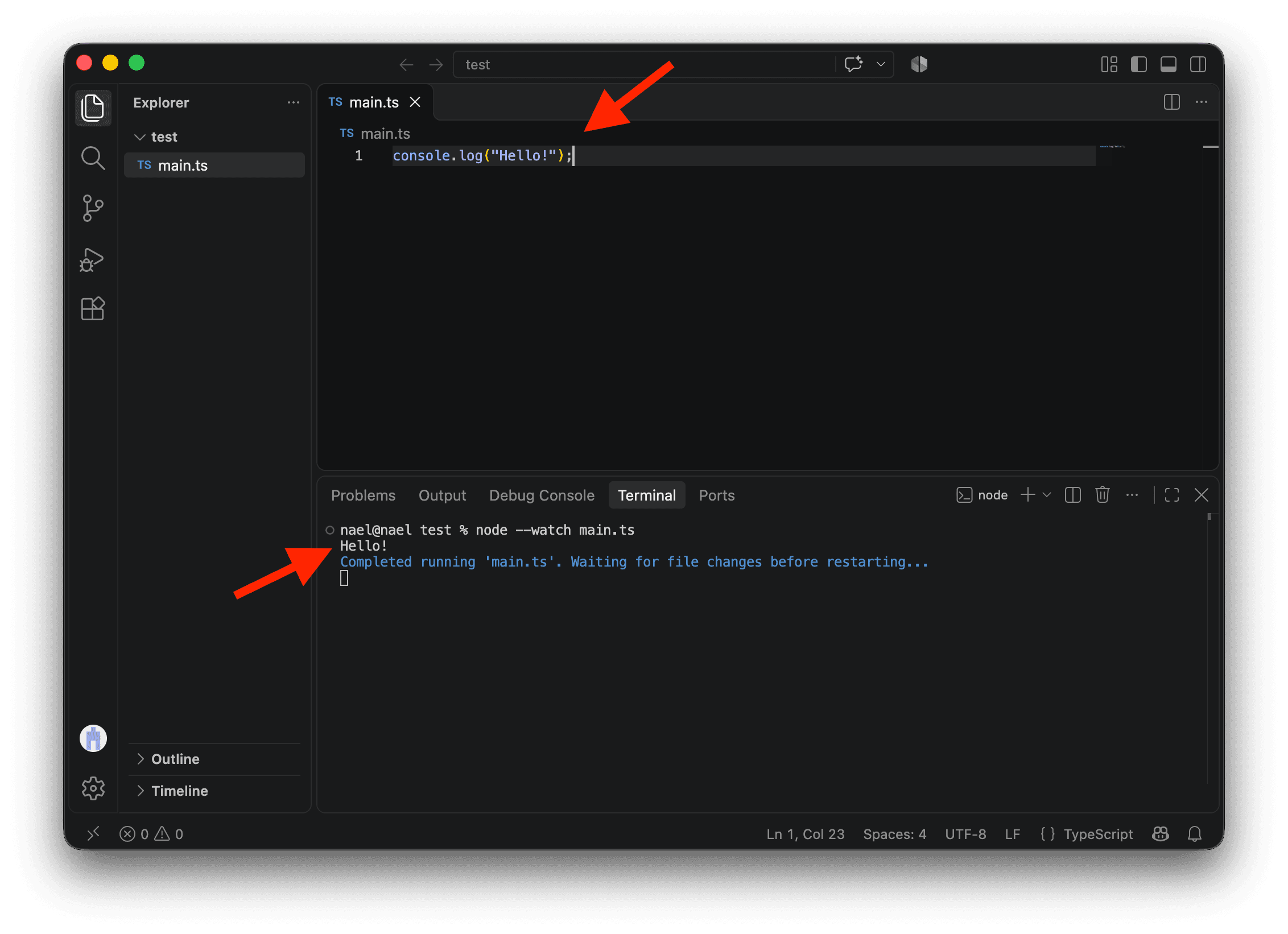
Create a new, empty folder on your computer, open it with VS Code, and create a file named main.ts inside it.
Type this code in main.ts and save the file:
console.log("Hello!");Open the terminal (Command + J on Mac or Control + J on Windows) and run this command:
node --watch main.tsThis runs our code and automatically runs it again each time we save a change, so we can see the results as we work.
With arrays
Let’s say we have ten numbers (1 to 10), and we want to multiply each of them by 2 and log the results.
We could write this code:
console.log(1, "=>", 1 * 2);
console.log(2, "=>", 2 * 2);
console.log(3, "=>", 3 * 2);
console.log(4, "=>", 4 * 2);
console.log(5, "=>", 5 * 2);
console.log(6, "=>", 6 * 2);
console.log(7, "=>", 7 * 2);
console.log(8, "=>", 8 * 2);
console.log(9, "=>", 9 * 2);
console.log(10, "=>", 10 * 2);
But it’s pretty repetitive. And what happens if we want to do the same thing but with 100 numbers? Or if we want to multiply by 3 instead of 2? Typing or modifying it all would take a long time!
Instead, you can use… loops and arrays! Arrays are iterable, which means you can use them easily with loops.
To create a loop, you start with for, followed by the loop parameters between (). Then you need to tell the computer what must be done at each iteration inside {}.
Let’s rewrite our code, but this time with an array and a for loop.
// First, create an array of numbers.
// Add or remove items in the array and save.
const numbers = [1, 2, 3, 4, 5, 6, 7, 8, 9, 10];

// Here we create the variable n. As we loop, each value
// from numbers is stored in it and processed, one after another.
for (const n of numbers) {
  // Multiply the current value by 2.
  const multiple = n * 2;
  // Log the current value and its result.
  console.log(n, "=>", multiple);
}
After running this code in your terminal, you’ll see each number from numbers and its doubled value logged one after another. This loop processes the array in order, from the first item to the last.
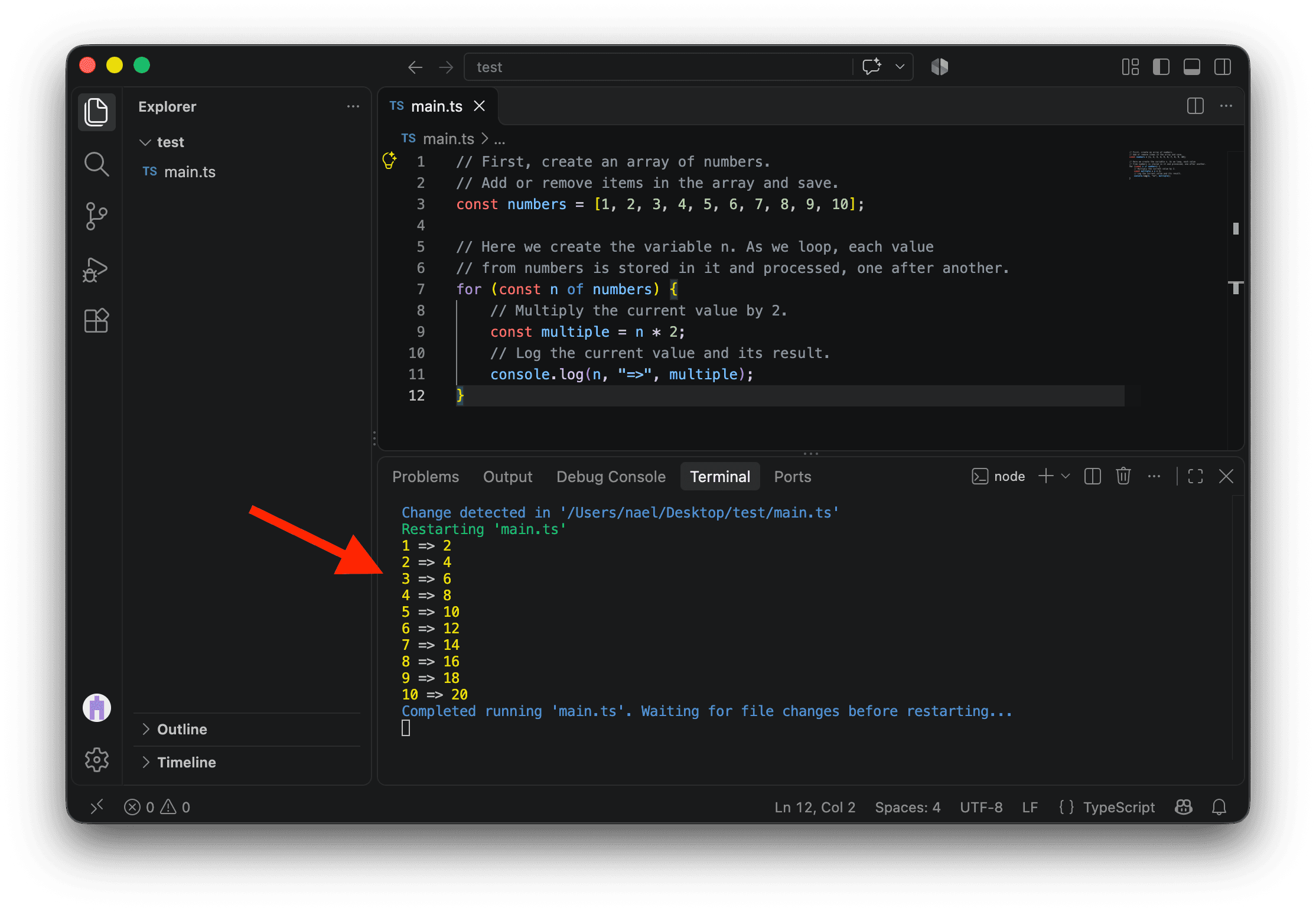
If the computer could talk 🤖, here’s what it would say when running this script:
- Lines 1-2: These are just comments for humans. I ignore them.
- Line 3: Hello
numbers! Nice to meet you. - Line 4: Nothing. Humans love empty spaces.
- Lines 5-6: Another comment for humans.
- Line 7: Hey, this is a
forloop. Hellon! I’ll use you to store each value ofnumbers, one by one. - Lines 8-11: Let’s iterate! I’ll skip the comments.
- I put the first value of
numbersinn. I multiplynby 2 and I log it. - I put the second value of
numbersinn. I multiplynby 2 and I log it. - […]
- I put the tenth value of
numbersinn. I multiplynby 2 and I log it.
- I put the first value of
- Line 12: I iterated over all values of
numbers. I am done! Sayonara! 👋
The beauty of this syntax is that no matter the number of values in numbers (10, 1,000, or 1,000,000), the code will remain short and straightforward, and you can be confident that all values will be processed.
Also, the actual code for the iterations is contained between the {}. So, if you need to multiply by 3 instead of 2, you only need to update your code in one place, reducing the risk of missing another spot and introducing bugs.
Regular for loop
While it’s convenient to loop over an array, you don’t need one to iterate.
If you want to say hello a million times, you can use a regular for loop, as shown in the code below.
The loop requires three expressions between () before running the code inside the following {}:
- First, you need a variable to store a number. By convention, it’s called
i, but you can name it anything you want. This variable represents the starting number for the iteration. Here, it’slet i = 0. - Second, you need a condition to keep the loop running and eventually stop it. This is usually done using comparison operators like
<or<=with the variable. Here, it’si < 1_000_000, meaning the iterations continue whileiis smaller than1_000_000. - Lastly, you need to specify how to increment the variable. Here, we use
i++, which means increment by 1 on each iteration.
These expressions must be separated by ; within the ().
The loop runs with i from 0 to 999,999, then stops when i reaches 1,000,000. That’s 1,000,000 iterations.
for (let i = 0; i < 1_000_000; i++) {
  console.log(i, "Hello!");
}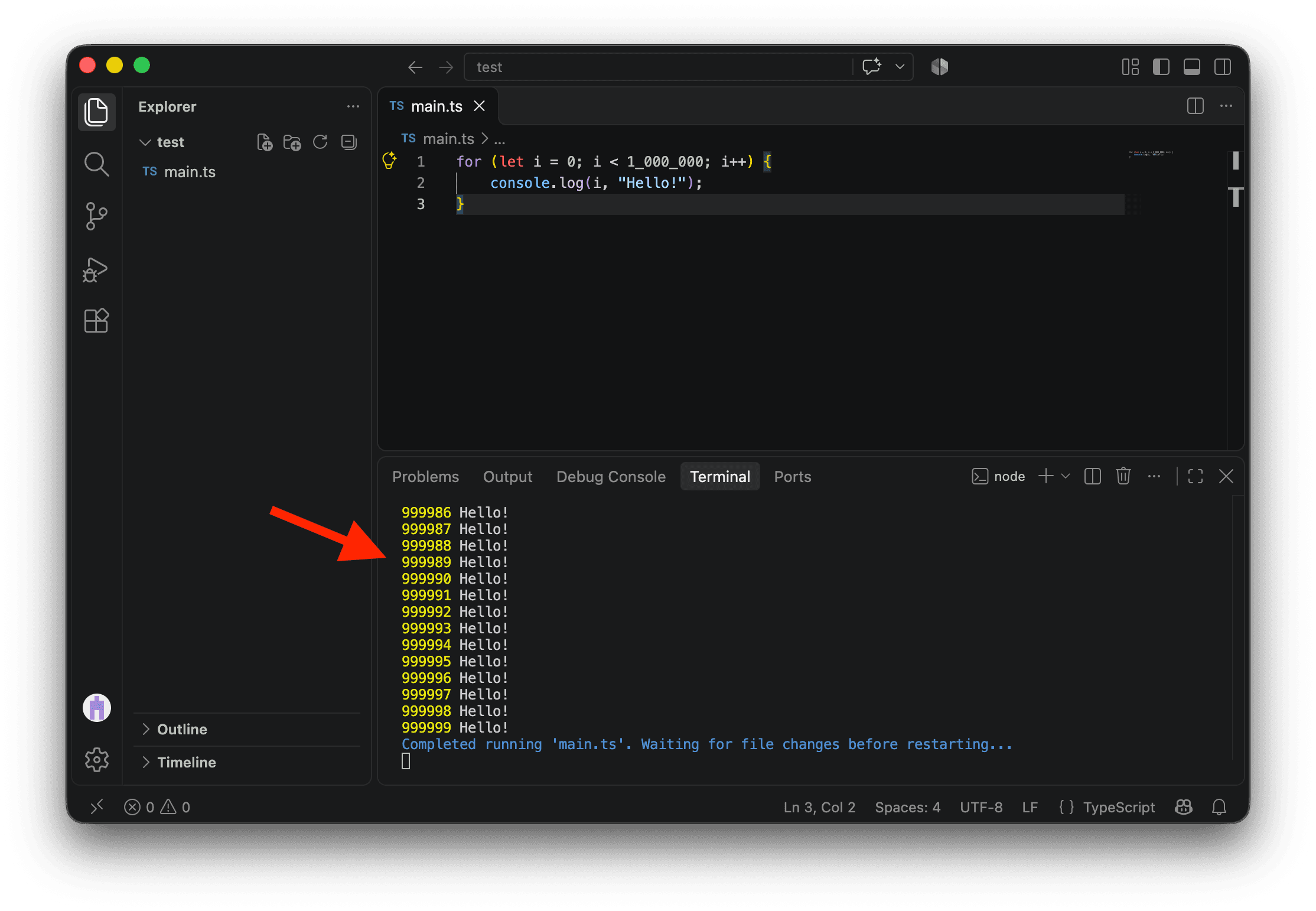
You just asked your computer to do something A MILLION TIMES! And with just 3 lines of code! Do you feel the POWER in your hands? 😈
By the way, logging so many messages in the terminal is relatively slow. When you do calculations without logging every result, things will go much faster.
You can play with the loop expressions in the code above. For example, try making these changes and see what happens:
- Replace
let i = 0withlet i = 1000 - Replace
i < 1_000_000withi <= 1_100 - Replace
i++withi += 10
break
Sometimes, you might want to stop your loop when a specific condition is met. To do this, you can use the break statement. It works in any loop.
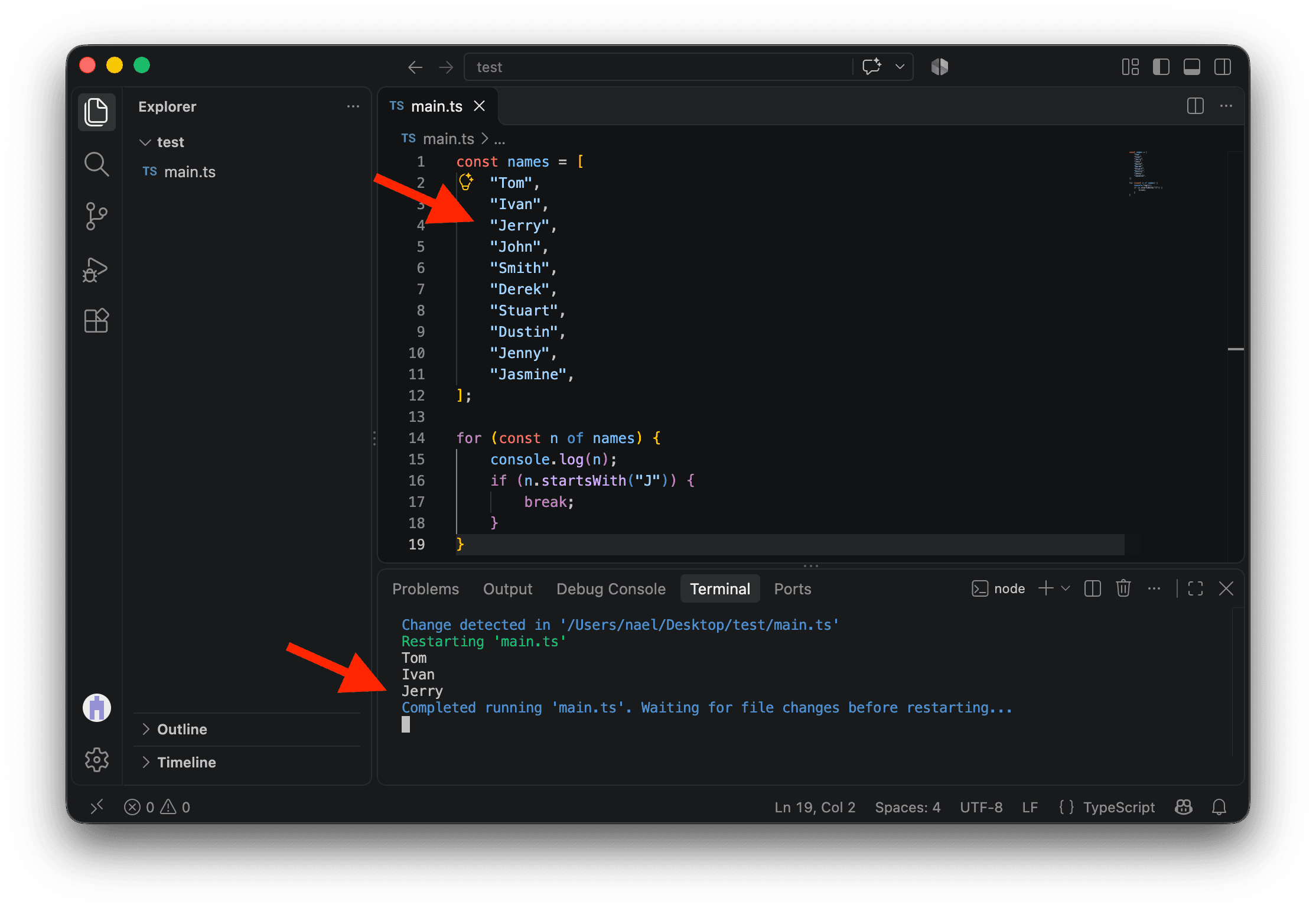
For example, in the code below, we loop over names, but we break the loop if one of the names starts with J. Since "Jerry" meets this condition, it’s the last name being logged. The loop stops there, so any items after it won’t be processed.
const names = [
  "Tom",
  "Ivan",
  "Jerry",
  "John",
  "Smith",
  "Derek",
  "Stuart",
  "Dustin",
  "Jenny",
  "Jasmine",
];

for (const n of names) {
  console.log(n);
  if (n.startsWith("J")) {
    break;
  }
}
Conclusion
Loops are an incredible tool for data analysis. They allow you to iterate quickly and efficiently through massive volumes of data with just a few lines of code.
Note that there are other kinds of loops, like while loops. However, they are rarely used in a data analysis context.
Congrats! You’ve reached the end of the chapter. Make sure to check the chapter conclusion for project ideas to put what you’ve learned into practice. 🕺